There's a certain charm in imperfect art – those uneven lines, smudged edges, and subtle flaws that make a piece feel alive and human. In my early days as a digital creator, I chased perfection in every pixel, but over time, I learned that embracing imperfection often leads to the most compelling work. In 2026, AI tools like Midjourney have made it easier than ever to generate art that looks hand-drawn, with all the beautiful messiness of traditional media. Whether it's a charcoal sketch of a cityscape or a loose pencil drawing of a portrait, imperfect AI art adds soul to your projects. I've used these techniques for my own illustrations, turning sterile digital renders into something that looks like it came from a sketchbook. The key? Intentional prompts that introduce "flaws" like textures and asymmetries. In this step-by-step guide, we'll explore how to create imperfect art with AI, focusing on hand-drawn tutorials and charcoal sketch prompts. We'll cover tools, examples, and tips I've honed through countless generations. If you're looking for inspiration from traditional charcoal artists, visit the Art Institute of Chicago's online collection at artic.edu/collection, where you can study masters like Degas for that authentic feel.
AI art doesn't have to be flawless – in fact, adding imperfections makes it more relatable and artistic. Let's dive in and get our digital hands dirty.
Step 1: Embracing the Imperfect Mindset – Why Flaws Matter in AI Art
Perfection is overrated. Imperfect art celebrates the human touch – think of a charcoal sketch where smudges add depth or a hand-drawn line that wobbles just right. In AI, we often default to clean outputs, but 2026 tools let us simulate these flaws for authenticity. Start by shifting your mindset: Instead of "perfect portrait," aim for "sketchy, imperfect drawing."
From my experiments, this approach makes AI art stand out – clients love the "hand-crafted" look, even if it's generated. Tools like Midjourney shine here because they can interpret "imperfect" keywords creatively.
Tip: Study real hand-drawn art – photos of sketchbooks or charcoal works help you describe flaws better in prompts.
Step 2: Select the Right AI Tool for Imperfect Creations
Not all AI tools handle imperfections equally – some lean too polished.
- Midjourney for Artistic Freedom: My favorite for hand-drawn effects – Discord-based (join at discord.gg/midjourney), it's intuitive and excels in textured, sketchy styles. Free trial for starters.
- Stable Diffusion for Control: Free via Hugging Face (at huggingface.co), great for adding custom flaws like noise or smudges with models like Deliberate v2.
- DALL-E 3 for Quick Tests: Integrated in ChatGPT (at chat.openai.com), good for initial ideas but less flexible for deep imperfections.
I use Midjourney for most imperfect art – its --stylize parameter lets me dial in the "rough" look perfectly.
Step 3: Craft Hand-Drawn AI Prompts – Building the Base
Hand-drawn prompts focus on lines, shading, and looseness. Include keywords like "pencil sketch" or "ink drawing" for that manual feel.
- Structure: Subject + Medium + Imperfections + Style + Parameters.
- Example Prompt: "A hand-drawn portrait of a young woman with loose pencil lines, imperfect shading, smudged edges, expressive eyes, in a sketchbook style like Vincent van Gogh --ar 1:1 --v 6 --stylize 200 --q 2 --chaos 15" The "loose lines" and "smudged edges" add that imperfect charm – from my tests, low --stylize (100-300) keeps it sketchy, not polished.
For variety, try "quick gesture drawing of a dancer, uneven lines and quick strokes --ar 3:4 --v 6".
Human note: My first hand-drawn AI piece was too smooth – adding "imperfect" fixed it, making it feel like my own doodles.
Step 4: Mastering Charcoal Sketch AI Prompts – Adding Depth and Texture
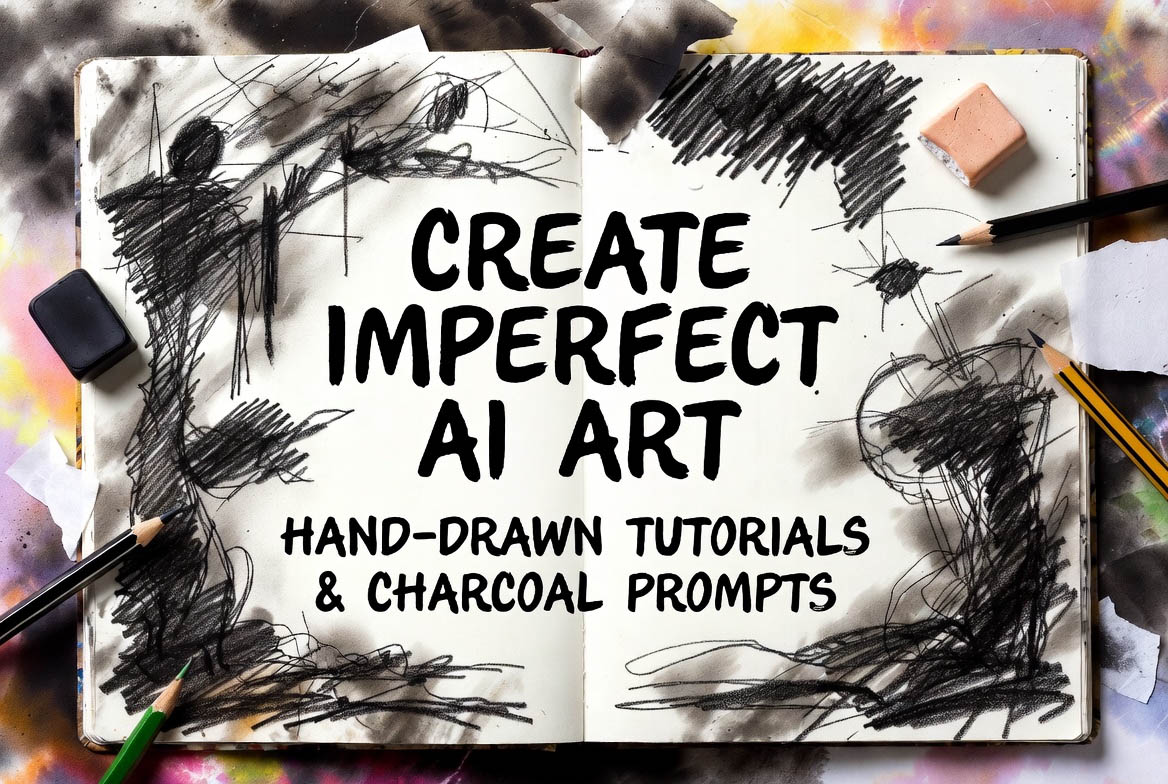
Charcoal sketches are all about grit and contrast – AI can replicate the powdery texture beautifully.
- Example Prompt: "Charcoal sketch of a rugged mountain landscape, heavy smudges and dark shading, imperfect blending, high contrast with white highlights on paper, in the style of traditional charcoal art --ar 16:9 --v 6 --stylize 250 --q 2" "Heavy smudges" and "imperfect blending" create that authentic charcoal mess – I love how it adds mood.
- Advanced Tips: For portraits, "close-up face with charcoal textures, erased highlights for light, uneven tones --ar 1:1 --v 6 --chaos 20". Chaos adds randomness for imperfection.
In my projects, charcoal prompts gave a dramatic, artistic edge – perfect for book covers or social posts.
Step 5: Introducing Imperfections – Grain, Smudges, and Asymmetry
The heart of imperfect art is flaws – make them intentional.
- Grain and Texture: Add "grainy paper texture, subtle noise" for realism.
- Smudges and Erases: "Finger-smudged areas, erased lines showing through" mimics human errors.
- Asymmetry: "Slightly off-center composition, uneven shading" avoids symmetry.
Example: "Hand-drawn city skyline with charcoal, imperfect horizons and smudged buildings --ar 16:9 --v 6 --stylize 300".
From my mistakes, too many flaws make it chaotic – balance with "subtle imperfections".
Step 6: Refine and Iterate – Tools for Polish Without Perfection
AI gens need tweaking to enhance imperfections.
- Remix for Variations: Use --cref [image URL] to keep core flaws while changing angles.
- Post-Processing: Add overlays in Photoshop (at adobe.com/photoshop) or GIMP (free at gimp.org) – layer scanned paper textures for extra authenticity.
- Consistency Check: Generate series – if flaws vary too much, fix with --s (seed).
I iterate 4-5 times per piece – it's where the "human" touch comes in.
Step 7: Applications and Sharing Your Imperfect AI Art
Imperfect art shines in storytelling, branding, or personal projects.
- Uses: Album covers, social media filters, or journal illustrations – the flaws add emotion.
- Sharing: Print on textured paper or share on Instagram with "AI imperfect sketch" captions.
In 2026, imperfect AI art is a rebellion against perfection – it's helped my work feel more personal.
Wrapping up, creating imperfect art with AI is liberating – it celebrates the beauty of flaws. Try it; the results might surprise you.
What's your imperfect art experiment? Share below. Subscribe for more AI tutorials.
Based on 2026 AI tools and personal sketch experiments. All examples original – inspire and create!
Frequently Asked Questions (FAQs):
- What is imperfect art in AI? Imperfect art uses AI to generate images with deliberate flaws like smudges and uneven lines for an authentic, hand-made look.
- How do hand-drawn AI tutorials work? They guide AI with prompts to mimic manual drawing styles, teaching beginners to add imperfections for realism.
- What are charcoal sketch AI prompts? Prompts that direct AI to create gritty, shaded drawings resembling charcoal art, with textures and blending effects.
- Which AI tool is best for imperfect art in 2026? Midjourney v6 for artistic imperfections, Stable Diffusion for custom control.
- Can beginners create imperfect AI art? Yes, with basic prompts focusing on flaws; practice builds skills quickly.
- What are common mistakes in AI imperfect art? Making art too perfect or overusing effects; balance flaws for natural results.
- How can imperfect AI art be used commercially? For branding or illustrations; customize for originality and comply with tool terms.