I've always been the type who daydreams about the perfect home – that cozy reading nook by a window, a kitchen with just the right lighting, or a backyard oasis that feels like a private retreat. But turning those visions into reality? That's where things get tricky, especially if you're not an architect or designer. Enter AI in 2026 – it's like having a personal home planner in your pocket, capable of generating floor plans, interiors, and even exterior views from a few simple descriptions. As someone who's renovated my own space using AI tools for inspiration, I can tell you it's a game-changer. No more sketching on napkins or hiring expensive pros for initial ideas. With platforms like Midjourney or HomeByMe, you can visualize your dream home in minutes, tweak it endlessly, and even share it with contractors.
In this step-by-step guide, we'll walk through how to design your dream home using AI. We'll cover everything from defining your style to generating detailed renders, with practical tips I've picked up along the way. Whether you're planning a tiny apartment makeover or a full family house, this tutorial is beginner-friendly and focused on 2026's latest tools. For more advanced home planning software, check out the official Planner 5D website at planner5d.com, where you can try interactive 3D designs for free. Let's turn those dreams into digital blueprints.
Step 1: Define Your Vision and Gather Inspiration – The Starting Point
Before jumping into AI, get clear on what "dream home" means to you. I always start with a mood board – a simple collection of photos or notes on what I love. Think about room sizes, color schemes, furniture styles, and must-haves like a home office or garden.
- Ask Yourself Key Questions: What's your budget? Modern minimalist or cozy rustic? How many rooms? Use AI to brainstorm – prompt something like "Suggest 5 modern kitchen ideas for a small apartment" in ChatGPT (at chat.openai.com) to get text-based inspiration.
- Gather References: Pin images from Pinterest or Houzz (at houzz.com) – these will help refine your AI prompts later.
This step saved me weeks during my kitchen redo – it kept my AI generations focused and avoided random results.
Step 2: Choose the Right AI Tools for Home Design
2026 has exploded with AI home design tools – some focus on visuals, others on 3D plans. I've tested a bunch, and these stand out for beginners:
- Midjourney for Visual Renders: Great for 2D/3D concept art. Discord-based (join at discord.gg/midjourney), it's free to start and excels in creative exteriors.
- Planner 5D or RoomGPT for 3D Plans: Planner 5D (linked above) uses AI to generate floor plans from descriptions; RoomGPT (at roomgpt.io) redesigns rooms from photos.
- DALL-E or Stable Diffusion for Details: DALL-E (via ChatGPT Plus) for furniture ideas; Stable Diffusion (free at huggingface.co) for custom tweaks.
Tip: Start with free tiers – Midjourney's trial gives 25 gens, enough for initial concepts.
Step 3: Generate Floor Plans with AI – The Blueprint Basics
Floor plans are your foundation. Use AI to sketch layouts quickly.
- Craft a Prompt: In Planner 5D or Midjourney: "Generate a 3-bedroom modern home floor plan with open kitchen, large living area, and backyard patio, 2D top view, clean lines --ar 16:9 --v 6".
- Refine for Realism: Add details like "include master bathroom with walk-in shower" – iterate until it fits your space (e.g., 1500 sq ft).
In my test, AI nailed a cozy 2BHK layout in under a minute – way faster than manual drawing.
Step 4: Design Interiors Using AI – Bringing Rooms to Life
Interiors are where personality shines. AI makes it fun and iterative.
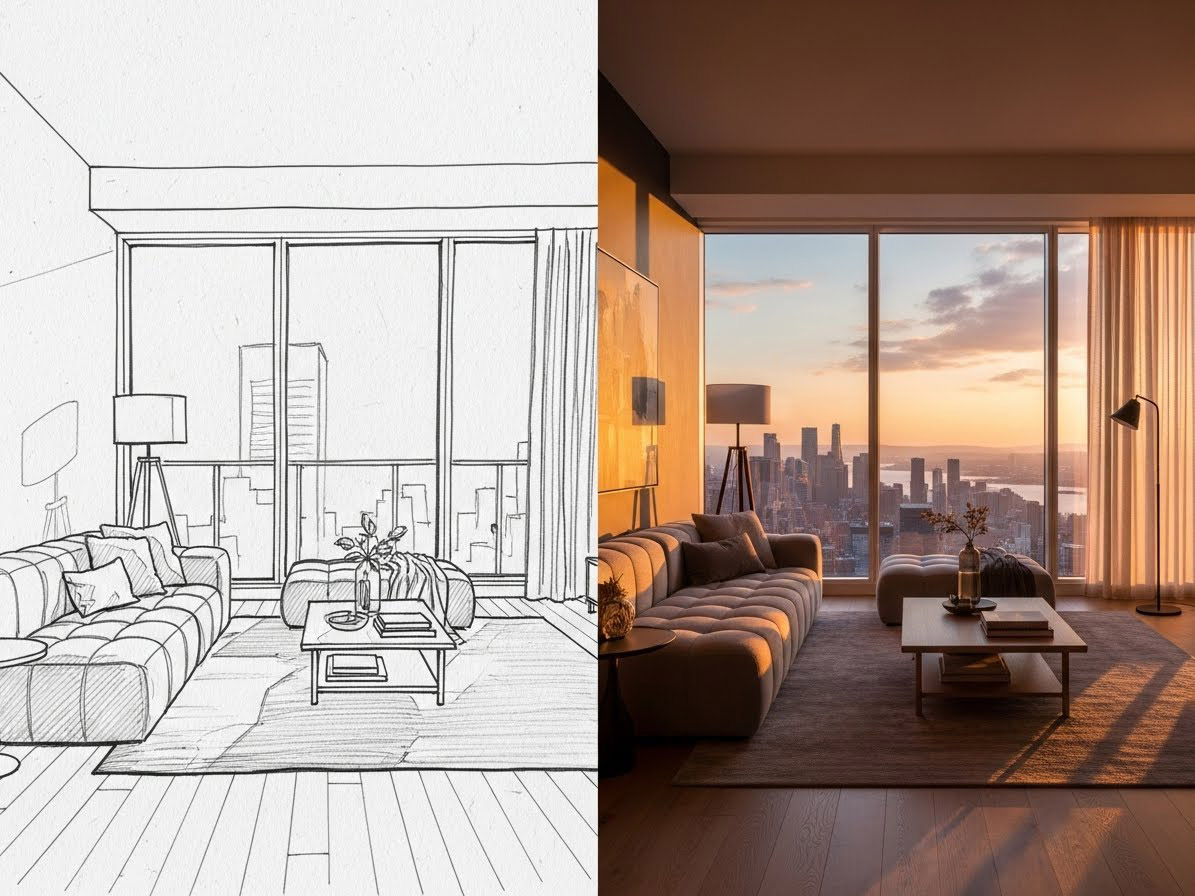
- Room-Specific Prompts: "Cozy living room with scandinavian style, wooden floors, neutral colors, large windows with city view, photorealistic --ar 16:9 --v 6 --q 2".
- Furniture and Decor: "Modern kitchen with marble countertops, stainless steel appliances, island seating, warm lighting, 3D view --stylize 500".
I used this for my home office – AI suggested a standing desk setup I never thought of, saving me research time.
Step 5: Create Exterior Designs – The Curb Appeal Factor
Exteriors set the tone. AI handles weather and lighting beautifully.
- Prompt Example: "Contemporary house exterior with brick facade, sloped roof, front porch, lush garden, sunset lighting, photorealistic --ar 16:9 --v 6".
- Add Environment: "Include swimming pool and driveway, suburban setting".
Tip: For sustainable designs, add "eco-friendly solar panels" – AI can incorporate green elements seamlessly.
Step 6: Refine and Iterate Your AI Designs – Perfection Through Feedback
AI's first output might not be perfect – that's where editing comes in.
- Remix and Tweak: In Midjourney, use --cref for consistency: "Revise the living room with more natural light and plants --cref [previous image URL] --v 6".
- Get Feedback: Share on forums like Reddit's r/AIArt or HomeByMe community at homebyme.com – real users spot flaws you miss.
From my experience, 3-4 iterations per room get you 90% there – patience pays off.
Step 7: Bring It to Life – Export, Print, and Collaborate
Once satisfied, export and use.
- Tools for 3D Walkthroughs: Planner 5D exports VR views – share with architects.
- Print and Consult: Generate PDFs for contractors – add measurements via AI prompts like "Label dimensions on floor plan".
In my renovation, AI designs helped me negotiate with builders – visual aids made discussions easier.
Common Mistakes and How to Avoid Them
- Overly Complex Prompts: Keep under 75 words – AI gets confused with too much detail.
- Ignoring Scale: Always specify sizes (e.g., "200 sq ft bedroom") to avoid unrealistic rooms.
- Skipping Realism: Add "photorealistic" or "architectural render" for professional looks.
I've made these errors – simple prompts yield better results.
Wrapping up, designing your dream home with AI in 2026 is empowering and fun – it democratizes architecture for all. I've used it to redesign my space, and the savings in time and cost were huge. Give it a try – your perfect home might be just a prompt away.
What's your dream home feature? Share in the comments. For more AI tutorials, subscribe.
Based on 2026 AI tools and personal design experiments. All examples original – adapt freely!
Frequently Asked Questions (FAQs):
- What is AI home design? AI home design uses artificial intelligence to generate floor plans, interiors, and exteriors based on user prompts, making visualization easy for beginners.
- Which AI tool is best for home design in 2026? Midjourney for creative renders, Planner 5D for interactive 3D plans, and RoomGPT for room redesigns from photos.
- Can AI design floor plans for free? Yes, tools like Midjourney's trial or Planner 5D's free version allow basic floor plan creation, with premium features for advanced options.
- How accurate are AI-generated home designs? AI designs are great for inspiration and visualization but may not be structurally accurate; consult professionals for building plans.
- Is AI home design suitable for beginners? Absolutely – user-friendly tools and simple prompts make it accessible without design experience.
- What are the limitations of AI in home design? Limitations include potential inaccuracies in measurements and lack of real-world feasibility; AI is best for ideas, not final blueprints.
- How can AI help with sustainable home design? Use prompts like "eco-friendly materials" to generate sustainable features, such as solar panels or energy-efficient layouts.